CodeMoss - Chrome Extension

CodeMoss - Chrome Extension: AI Tool for Coding Efficiency

CodeMoss - Chrome Extension: A powerful AI programming assistant tool—your ultimate ai tool for coding efficiency, directly in Chrome.

🟢

CodeMoss - Chrome Extension - Introduction

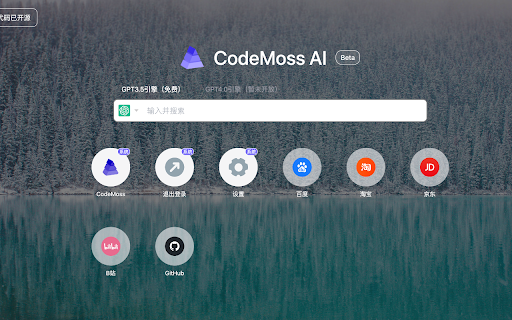
CodeMoss - Chrome Extension Website screenshot

What is CodeMoss ai chrome extension?

CodeMoss is an intelligent, browser-native AI coding companion—engineered exclusively for developers who demand speed, precision, and contextual awareness without switching tabs or tools. Unlike generic large language models, CodeMoss leverages a fine-tuned, code-specialized foundation trained on millions of real-world repositories, enabling deep semantic understanding of syntax, logic, frameworks, and architecture—all within your Chrome workflow.

How to use CodeMoss ai chrome extension?

Getting started takes seconds: install the extension from the Chrome Web Store, sign in with your CodeMoss account (or create one in under 30 seconds), and activate it on any code-heavy page—GitHub, Stack Overflow, documentation sites, or your local dev environment. Highlight code, ask questions in plain English, or request refactors—and receive accurate, production-ready suggestions instantly, right where you work.

🟢

CodeMoss - Chrome Extension - Key Features

Key Features From CodeMoss ai chrome extension

Context-Aware Code Understanding

Smart Inline Refactoring & Debugging

Framework-Specific Guidance (React, Python, TypeScript, Node.js & more)

CodeMoss ai chrome extension's Use Cases

Accelerating daily development workflows

Reducing context-switching during code reviews and pair programming

🟢

CodeMoss - Chrome Extension - Frequently Asked Questions

FAQ from CodeMoss - Chrome Extension

What is CodeMoss?

CodeMoss is a purpose-built AI tool for coding efficiency—designed not as a general-purpose chatbot, but as a deeply integrated, lightweight, and responsive coding assistant that lives inside Chrome. It interprets intent, detects anti-patterns, explains complex logic, and generates clean, maintainable code—tailored to your stack and style.

How to use CodeMoss?

After installing the extension and signing in, hover over any code block or open the popup to type a prompt—e.g., “Convert this callback to async/await” or “Explain this regex step-by-step.” CodeMoss responds instantly with actionable insights, no setup or configuration required.

How to get started with CodeMoss?

Visit codemoss.dev, click ‘Get Started', complete a quick signup (email or GitHub), install the Chrome extension, and begin enhancing your coding velocity—immediately, seamlessly, and securely.