Claude Scholar - Chrome Extension

Claude Scholar - Chrome Extension: AI Tool for Personalized Academic Support

Claude Scholar - Chrome Extension: AI tool for personalized academic support—your intelligent, on-demand research & writing assistant.

🟢

Claude Scholar - Chrome Extension - Introduction

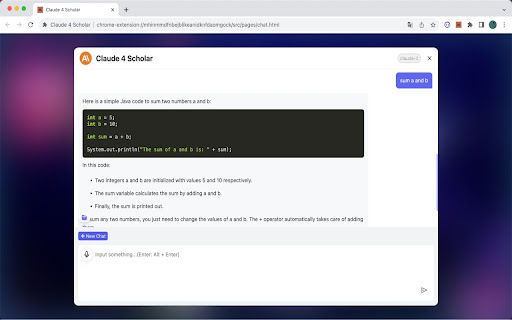
Claude Scholar - Chrome Extension Website screenshot

What is Claude Scholar ai chrome extension?

Your AI-powered academic ally—designed specifically for students, researchers, and lifelong learners seeking intelligent, context-aware support directly in the browser.

How to use Claude Scholar ai chrome extension?

Install the extension from the Chrome Web Store, log in with your academic account, and activate Claude Scholar on any scholarly webpage—whether you're reading a journal article, drafting a thesis, or prepping for finals.

🟢

Claude Scholar - Chrome Extension - Key Features

Key Features From Claude Scholar ai chrome extension

Smart citation & source synthesis

Real-time academic writing refinement

Personalized learning scaffolding

Claude Scholar ai chrome extension's Use Cases

Clarifying complex concepts from lecture notes or textbooks

Refining thesis statements and argument structure

Translating technical jargon into accessible explanations

🟢

Claude Scholar - Chrome Extension - Frequently Asked Questions

FAQ from Claude Scholar - Chrome Extension

What is Claude Scholar?

Your dedicated AI research partner—trained on academic norms, citation standards, and pedagogical best practices to deliver trustworthy, discipline-sensitive guidance.

How to use Claude Scholar?

Once installed, click the toolbar icon to launch the assistant—no switching tabs required. Paste text, highlight passages, or ask questions mid-research for instant, tailored academic insight.

How can Claude help me with exam preparation?

It generates custom flashcards, identifies knowledge gaps through diagnostic Q&A, and adapts explanations based on your subject level—from undergraduate coursework to graduate-level analysis.