FAQ from CherryPick
What is CherryPick?
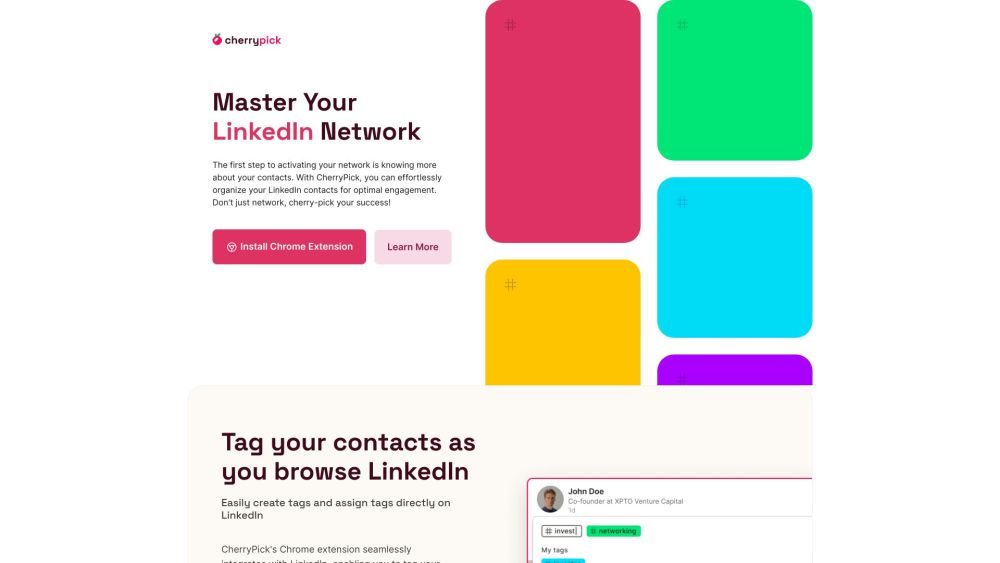
CherryPick is an official, AI-enhanced Chrome extension that brings structure and intelligence to your LinkedIn contacts—turning a static list of connections into a dynamic, actionable professional database.
How to use CherryPick?
After installing the extension and connecting your LinkedIn account, CherryPick works silently in the background—surfacing contextual actions right on LinkedIn pages. Tag contacts with one click, filter your network in real time, and access everything through your secure, cloud-synced dashboard.
Why did you build CherryPick?
We recognized that LinkedIn’s powerful network remains underutilized due to poor organization tools. CherryPick bridges that gap—leveraging AI not to replace human judgment, but to amplify it.
How do I get started?
Install → Sign in → Start tagging. No setup, no CSV imports, no learning curve. Your first tagged contact is just three clicks away.
Who can use CherryPick?
Anyone with a LinkedIn profile who values time, relevance, and intentionality in networking—from solo founders building their first pipeline to enterprise recruiters managing thousands of prospects.
What are the key features?
Smart tagging powered by contextual AI, lightning-fast search across all tagged attributes, seamless export options, and a clean dashboard designed for clarity—not clutter.
How do I export my tagged contacts?
From your dashboard, select any tag group or combination, then click “Export”. Choose CSV for spreadsheets or JSON for API integrations—both include timestamps, profile links, and enriched fields.
Is CherryPick Free?
Yes—CherryPick is currently free to use with full core functionality. Premium tiers (coming soon) will unlock advanced AI insights, CRM sync automation, and team collaboration features.
How secure is my data?
Your LinkedIn data never leaves your browser unless explicitly exported. CherryPick complies fully with LinkedIn’s User Agreement and uses zero third-party trackers or ads. We don’t store passwords, messages, or private profile data.
Can I use CherryPick with my CRM?
Yes—exports are CRM-ready, and our upcoming API and Zapier integration will allow automatic syncing with HubSpot, Salesforce, Notion, and more.
Is CherryPick compatible with my device?
CherryPick runs natively on Google Chrome for Windows and macOS. Mobile support is planned for future releases—optimized for desktop-first professional workflows.
How do I get support?
Email us anytime at [email protected]. Our team responds within 4 business hours—and often much faster.