ChatGPT Sidebar with GPT-4 Vision & Image & Gemini by AITOPIA - Chrome Extension

ChatGPT Sidebar: AI Tool for Browsing & Analysis

ChatGPT Sidebar with GPT-4 Vision & Image & Gemini by AITOPIA - Chrome Extension: AI tool boosting browsing & analysis—Product Name.

🟢

ChatGPT Sidebar with GPT-4 Vision & Image & Gemini by AITOPIA - Chrome Extension - Introduction

ChatGPT Sidebar with GPT-4 Vision & Image & Gemini by AITOPIA - Chrome Extension Website screenshot

What is ChatGPT Sidebar with GPT-4 Vision & Image & Gemini by AITOPIA ai chrome extension?

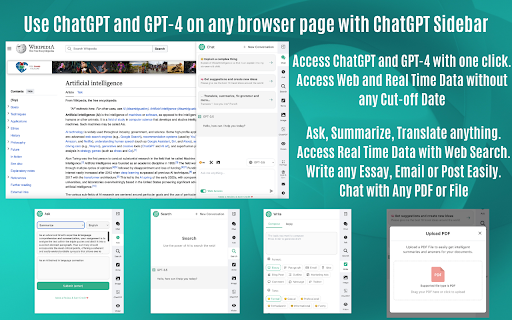
ChatGPT Sidebar is a next-generation AI-powered Chrome extension built by AITOPIA—designed to transform how you interact with online content. Seamlessly embedded into your browser, it unifies the intelligence of GPT-4 (including native vision capabilities), GPT-3.5, and Google's Gemini in one intuitive sidebar. Whether you're reading an article, reviewing a technical PDF, analyzing a chart, or interpreting screenshots, this tool delivers real-time, context-aware insights—right where you browse.

How to use ChatGPT Sidebar with GPT-4 Vision & Image & Gemini by AITOPIA ai chrome extension?

After installing the extension, click its icon in Chrome’s toolbar to open the responsive sidebar—no switching tabs or copying text. Select your preferred AI model (GPT-4 Vision for image understanding, GPT-3.5 for speed, or Gemini for multimodal fluency), then highlight webpage text, upload a PDF, drag-and-drop an image, or paste a URL. Instantly generate summaries, clarify jargon, translate languages, extract tables, describe visuals, or compare data across documents—all without leaving your current page.

🟢

ChatGPT Sidebar with GPT-4 Vision & Image & Gemini by AITOPIA - Chrome Extension - Key Features

Key Features From ChatGPT Sidebar with GPT-4 Vision & Image & Gemini by AITOPIA ai chrome extension

GPT-4 Vision Integration

One-Click Image & Chart Analysis

Cross-Model AI Switching (GPT-3.5 / GPT-4 / Gemini)

Smart PDF Interaction with Text + Layout Awareness

ChatGPT Sidebar with GPT-4 Vision & Image & Gemini by AITOPIA ai chrome extension's Use Cases

Real-time web content comprehension & simplification

Multilingual document translation with contextual fidelity

Visual reasoning—from screenshots and infographics to handwritten notes and diagrams

🟢

ChatGPT Sidebar with GPT-4 Vision & Image & Gemini by AITOPIA - Chrome Extension - Frequently Asked Questions

FAQ from ChatGPT Sidebar with GPT-4 Vision & Image & Gemini by AITOPIA - Chrome Extension

What is ChatGPT Sidebar with GPT-4 Vision & Image & Gemini by AITOPIA?

An intelligent, all-in-one browser assistant that brings cutting-edge multimodal AI—GPT-4 Vision, GPT-3.5, and Gemini—directly into your Chrome workflow, enabling deeper, faster, and more visual analysis of digital content.

How to use ChatGPT Sidebar with GPT-4 Vision & Image & Gemini by AITOPIA?

Activate the sidebar with one click, choose your AI engine, and engage with any on-screen element: highlight paragraphs for instant explanation, upload files for structured insight, or snap a screenshot to unlock visual Q&A—no setup, no delays.

Why combine GPT-4 Vision, GPT-3.5, and Gemini in one extension?

Different tasks demand different strengths: GPT-4 Vision excels at interpreting images and complex layouts; GPT-3.5 offers rapid, reliable text processing; Gemini adds b multilingual and cross-modal reasoning. ChatGPT Sidebar lets you match the right model to the moment—maximizing accuracy, speed, and versatility.