ChatGPT on New Tab - Chrome Extension

ChatGPT on New Tab - Chrome Extension: AI Tool for Quick Access

ChatGPT on New Tab - Chrome Extension: A modern AI tool for quick access—streamline searches with instant ChatGPT right on your new tab.

🟢

ChatGPT on New Tab - Chrome Extension - Introduction

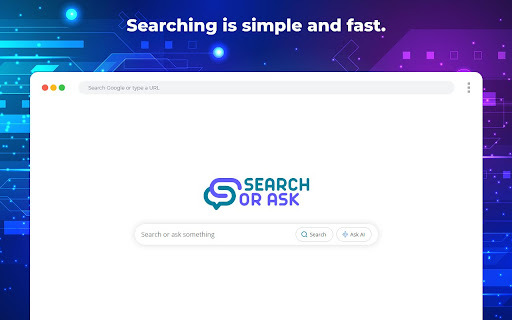
ChatGPT on New Tab - Chrome Extension Website screenshot

What is ChatGPT on New Tab ai chrome extension?

ChatGPT on New Tab is a sleek, purpose-built Chrome extension that transforms your browser's default new tab page into an intelligent AI command center—integrating real-time ChatGPT responses and contextual web search in a single, unified interface.

How to use ChatGPT on New Tab ai chrome extension?

After installing the extension from the Chrome Web Store, every new tab instantly loads a clean, responsive dashboard. Type any question or prompt directly into the smart search bar—it automatically routes queries to ChatGPT for conversational answers or performs fast, accurate web searches. You can also pin favorite tools, sites, or prompts with one-click shortcuts for lightning-fast access.

🟢

ChatGPT on New Tab - Chrome Extension - Key Features

Key Features From ChatGPT on New Tab ai chrome extension

Dual-mode intelligent input — ChatGPT + Web Search

Zero-switch context awareness — answers adapt based on query intent

Personalized quick-launch shortcuts — save and organize go-to resources

ChatGPT on New Tab ai chrome extension's Use Cases

Instant clarification while researching or learning

Accelerated content drafting and idea generation

Streamlined technical troubleshooting and documentation lookup

On-the-fly language translation and summarization

🟢

ChatGPT on New Tab - Chrome Extension - Frequently Asked Questions

FAQ from ChatGPT on New Tab - Chrome Extension

What is ChatGPT on New Tab?

A lightweight, privacy-conscious Chrome extension that replaces your blank new tab with an AI-augmented interface—enabling seamless switching between natural-language ChatGPT conversations and precise web searches—all without leaving the tab.

How to use ChatGPT on New Tab?

Once installed, open a new tab and begin typing. The extension intelligently detects whether you're asking a question (triggering ChatGPT) or seeking a website or topic (activating search). Customize shortcut tiles to launch your most-used apps, dashboards, or prompts in under a second.

How does ChatGPT help save time?

By eliminating tab-switching, copy-pasting, and manual navigation, it delivers relevant insights—whether explanatory, creative, or factual—directly where you start: the new tab. No more toggling between ChatGPT.com and Google—everything converges into one intuitive entry point.