ChatGPT Copier - Chrome Extension

ChatGPT Copier - Chrome Extension: AI Tool

ChatGPT Copier - Chrome Extension: One-click AI tool to copy ChatGPT answers instantly—fast, free, and built for productivity.

🟢

ChatGPT Copier - Chrome Extension - Introduction

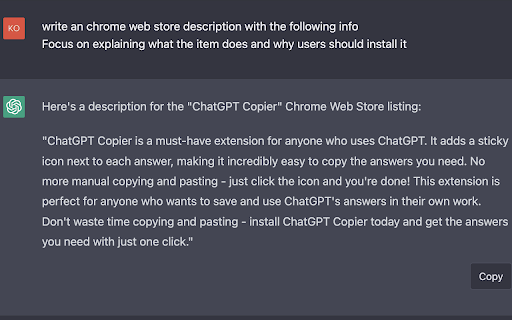
ChatGPT Copier - Chrome Extension Website screenshot

What is ChatGPT Copier ai chrome extension?

ChatGPT Copier is a lightweight, purpose-built Chrome extension designed to eliminate repetitive manual copying from ChatGPT. With intelligent DOM detection and one-tap precision, it instantly captures full responses—including code blocks, lists, and formatted text—so you spend less time selecting and more time creating, learning, or delivering value.

How to use ChatGPT Copier ai chrome extension?

Install the extension from the Chrome Web Store in under 10 seconds. Once enabled, open any ChatGPT chat window—whether on free, Plus, or Team accounts—and hover over any assistant response. A subtle, context-aware copy icon appears beside the message. Click it once, and the complete answer lands cleanly in your clipboard—ready for pasting anywhere.

🟢

ChatGPT Copier - Chrome Extension - Key Features

Key Features From ChatGPT Copier ai chrome extension

One-click AI answer capture—no highlighting, no scrolling, no errors

Built exclusively for Chrome with zero external dependencies or permissions beyond what's necessary

Smart formatting preservation: retains bullet points, indentation, code syntax, and line breaks

Zero latency, zero cost, zero sign-up—pure productivity, out of the box

ChatGPT Copier ai chrome extension's Use Cases

Students accelerate research and note-taking by capturing verified explanations in seconds—not minutes.

Content creators repurpose AI-generated drafts, social captions, and SEO snippets without reformatting.

Developers copy code outputs directly into editors or documentation tools—preserving syntax integrity.

Customer success teams rapidly deploy accurate, on-brand responses during live support sessions.

🟢

ChatGPT Copier - Chrome Extension - Frequently Asked Questions

FAQ from ChatGPT Copier - Chrome Extension

What is ChatGPT Copier?

A minimalist, high-fidelity Chrome extension engineered to turn ChatGPT interactions into actionable output—with a single click.

How to use ChatGPT Copier?

After installing, visit chat.openai.com (or any ChatGPT interface), locate an assistant reply, and click the floating “📋” button that appears on hover. That’s it—your clipboard is updated instantly.

Is ChatGPT Copier free to use?

Yes—100% free, forever. No trials, no paywalls, no hidden telemetry. Just clean, ethical tooling for everyday AI users.

Does ChatGPT Copier work on other browsers?

Currently optimized for Google Chrome only. Support for Edge (Chromium-based) is planned for Q4 2024; Firefox and Safari are not supported at this time.

Is there a limit to the number of answers I can copy?

No limits—copy as many times, as often, and across as many conversations as you need. The extension operates locally and statelessly.

Does ChatGPT Copier work with ChatGPT Plus and ChatGPT Pro?

Absolutely. It works seamlessly across all official ChatGPT tiers—including GPT-4, file uploads, and multi-turn reasoning—without interference or compatibility issues.