ChartAI

ChartAI: AI Tool for Creating & Understanding Charts

ChartAI: An AI tool that leverages ChatGPT to help users effortlessly create, customize, and understand charts and diagrams—fast, smart, visual.

🟢

ChartAI - Introduction

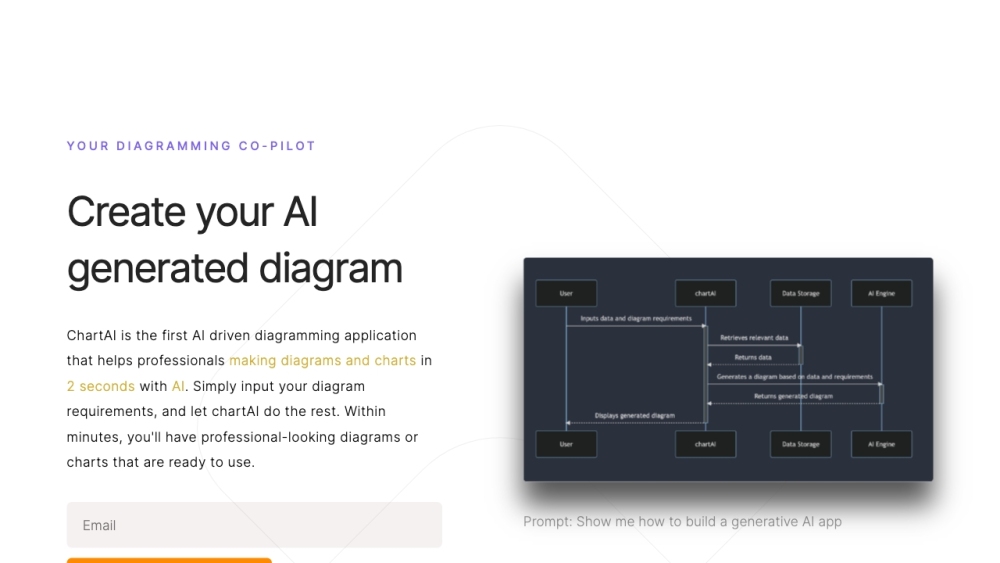
ChartAI Website screenshot

What is ChartAI?

ChartAI is an intelligent, AI-powered visualization platform that transforms raw data into clear, insightful, and professionally styled charts—in seconds. Built on advanced language and reasoning models like ChatGPT, it goes beyond static charting tools by enabling natural-language interaction: describe your goal, ask “why” behind trends, or request refinements—and ChartAI responds with both visuals *and* understanding.

How to use ChartAI?

Using ChartAI is intuitive and frictionless: paste your dataset (CSV, Excel, or even plain text), type a prompt like *“Show quarterly sales as a stacked bar chart with color-coded regions”*, or ask *“What's the outlier here—and what might explain it?”* The AI generates the chart instantly, then explains patterns, anomalies, and best-practice interpretations—all in plain English.

🟢

ChartAI - Key Features

Key Features From ChartAI

ChartAI delivers three powerful capabilities in one seamless experience: intelligent chart generation across 15+ formats (bar, line, radar, Sankey, Gantt, mind maps, and more); contextual data literacy—translating numbers into narratives, hypotheses, and actionable takeaways; and real-time visual editing powered by conversational commands (“Make this darker,” “Add error bars,” “Switch to logarithmic scale”).

ChartAI's Use Cases

From startup founders pitching to investors, to researchers validating hypotheses, teachers simplifying complex topics, or analysts auditing dashboards—ChartAI accelerates insight at every stage. It bridges the gap between data fluency and design fluency, making professional-grade visualization accessible to non-coders, non-designers, and non-statisticians alike.

  • ChartAI Discord

    Join our growing community of visual thinkers and AI enthusiasts: https://discord.gg/WAS2a4H8WK. For extended discussions, tips, and live demos, visit here(/discord/was2a4h8wk).

  • ChartAI Support Email & Customer Service & Refund Contact

    Need help? Our support team is ready—reach us at [email protected].

  • ChartAI Company

    ChartAI is developed by AHILAB, a team dedicated to human-centered AI tools for clarity, learning, and decision-making.

  • ChartAI Login

    Get started now: https://chartai.io/

  • ChartAI YouTube

    Watch tutorials, feature walkthroughs, and real-world use cases: https://www.youtube.com/@ChartAIz

🟢

ChartAI - Frequently Asked Questions

FAQ from ChartAI

What is ChartAI?

ChartAI is not just a chart maker—it’s a collaborative AI visualization partner that helps you create, refine, interpret, and teach with charts using everyday language.

How to use ChartAI?

No setup, no templates, no coding. Upload data or describe your scenario in words—and let ChartAI handle formatting, statistical validation, labeling, accessibility (alt-text, contrast), and explanatory commentary.

What types of charts and diagrams can ChartAI generate?

From foundational (bar, pie, histogram) to advanced (heatmaps, box plots, flowcharts, ER diagrams, timeline infographics), ChartAI supports over 20 visualization types—with smart defaults and domain-aware suggestions.

Can ChartAI analyze my data and provide insights?

Yes. It performs descriptive analytics on-the-fly: identifying correlations, spotting distribution shifts, flagging inconsistencies, and generating plain-language summaries—so you understand *what the chart means*, not just *what it shows*.

Is it possible to customize the visualizations generated by ChartAI?

Every chart is fully editable via voice, text, or point-and-click. Adjust colors, fonts, axes, interactivity (tooltips, drill-downs), export formats (PNG, SVG, PDF, embeddable HTML), and even accessibility attributes—all through conversational prompts.

Can I use ChartAI for educational purposes?

Absolutely. Educators use ChartAI to generate illustrative examples, scaffold student data literacy, auto-generate quiz questions from charts, and turn abstract concepts into visual stories—making learning more inclusive and engaging.