BrowserBurn - Chrome Extension

BrowserBurn - Chrome Extension: AI Tool

BrowserBurn - Chrome Extension: A hilarious AI tool delivering witty, real-time AI critique of your browsing habits—funny, sharp, and insightful!

🟢

BrowserBurn - Chrome Extension - Introduction

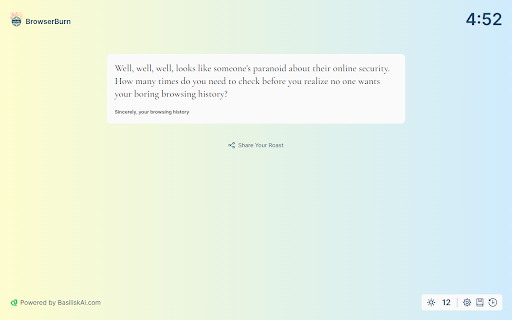
BrowserBurn - Chrome Extension Website screenshot

What is BrowserBurn ai chrome extension?

BrowserBurn is an irreverent, AI-driven Chrome extension that transforms your everyday browsing into a stand-up comedy routine—serving up real-time, razor-sharp commentary on your digital choices with wit, warmth, and zero judgment (well… maybe *a little* judgment).

How to use BrowserBurn ai chrome extension?

Install BrowserBurn in under 10 seconds—no account, no permissions drama. Once activated, it quietly observes your tabs, searches, and scrolls, then delivers spontaneous, laugh-out-loud AI roasts (and occasional backhanded compliments) right in your toolbar or popup.

🟢

BrowserBurn - Chrome Extension - Key Features

Key Features From BrowserBurn ai chrome extension

BrowserBurn brings the heat with these standout features: - Real-time AI commentary—snappy, context-aware, and always on-brand - Playful tone engine: adjusts sass level based on your mood (or browser history) - One-click install, zero setup—works instantly after enabling - Fully offline-capable analysis (your data stays local) - Free beta access—no credit card, no strings, just snark - Built-in theme toggle: switch between “Sarcastic Light” and “Deadpan Dark” mode

BrowserBurn ai chrome extension's Use Cases

BrowserBurn shines when you want to: - Turn procrastination into performance art - Spark group chats with screenshots of your AI's wildest takes - Reflect on your digital habits—while grinning at the absurdity of it all

🟢

BrowserBurn - Chrome Extension - Frequently Asked Questions

FAQ from BrowserBurn - Chrome Extension

What is BrowserBurn?

A lighthearted AI companion that watches your web journey—not to track you, but to *troll you lovingly*. Think of it as your browser’s witty best friend who’s seen *way* too many Wikipedia deep dives.

How to use BrowserBurn?

Click “Add to Chrome”, pin the extension, and start browsing. Within seconds, you’ll get your first AI roast—delivered with emoji flair and impeccable timing.

Is BrowserBurn available for all browsers?

Currently optimized for Chrome and Firefox—with Safari and Edge support quietly brewing in the lab. (Spoiler: The Safari version may come with a built-in “I’m not even mad, I’m impressed” filter.)

Is there a premium version of BrowserBurn?

Not yet—but the free beta includes everything. Future upgrades might offer custom roast personas (“Corporate Bot”, “Therapist Mode”, “Existential Dread Lite”)—all optional, all hilarious.

Can BrowserBurn be disabled or uninstalled?

Absolutely. It respects your autonomy—even while questioning your life choices. Disable with one click or remove entirely via your browser’s extensions menu. (Your AI will wave goodbye… with mild disappointment.)