Avian

Avian: AI Tool for Data Analytics & Chat

Avian: An AI tool for data analytics—connect sources, chat with data from 20+ platforms (e.g., Google Analytics, Facebook Ads), and share custom AI chatbots.

🟢

Avian - Introduction

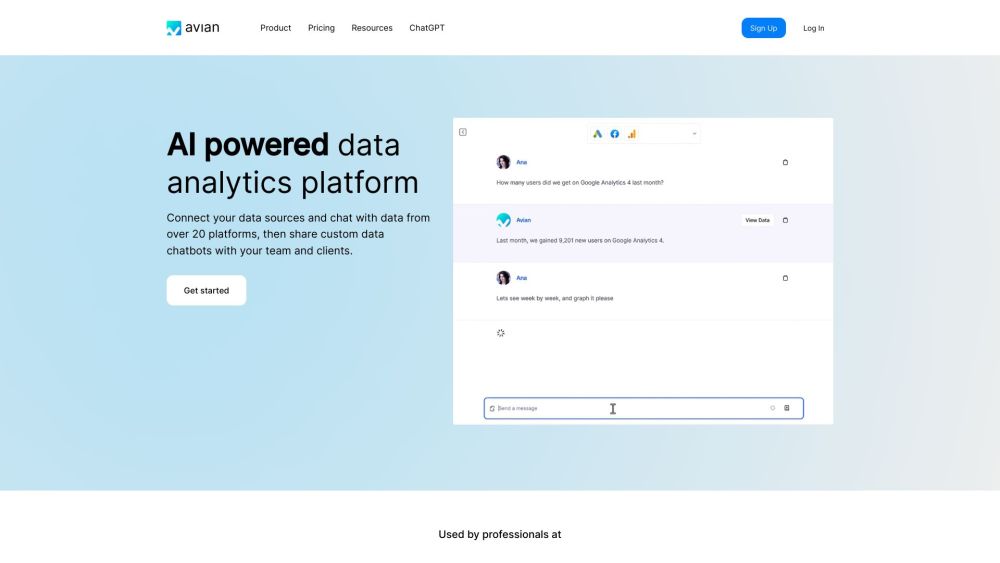
Avian Website screenshot

What is Avian?

Avian is a next-generation AI analytics assistant designed to transform how teams understand and act on data. Instead of wrestling with dashboards or writing SQL, users simply chat with their data—in plain English—from 20+ integrated platforms like Google Analytics, Facebook Ads, Google BigQuery, LinkedIn Ads, and Instagram Insights. Built for speed, security, and simplicity, Avian turns complex datasets into actionable insights—no coding, no delays, no data silos.

How to use Avian?

Getting started with Avian takes under two minutes: sign up, connect your first data source (e.g., Google Analytics or Facebook Ads), and start asking questions like *“Which campaign drove the highest ROAS last month?”* or *“Show me top-performing content by engagement rate.”* The AI interprets your intent, runs live queries, and returns answers—plus visual summaries and export-ready reports. You can also package recurring analyses as shareable, branded AI chatbots for teammates or clients—fully customizable and permission-controlled.

🟢

Avian - Key Features

Key Features From Avian

Seamless multi-source connectivity—20+ platforms, one interface

Natural language analytics: ask, explore, visualize, and report—in seconds

Unified cross-platform analysis: blend metrics from ads, web, CRM, and spreadsheets instantly

Enterprise-grade privacy: zero-data retention, SOC 2–compliant Azure-hosted LLMs, and real-time query execution

Drag-and-drop dashboard builder with automated insight triggers and scheduled updates

One-click exports to CSV, PDF, or embedded widgets for internal reporting or client presentations

White-labeled AI chatbots—deploy custom data assistants across Slack, Notion, or your website

Avian's Use Cases

Marketing teams use Avian to unify ad spend, conversion, and audience data—cutting reporting time by 70%. Growth analysts leverage it to debug funnel drop-offs in real time. Product managers track feature adoption across GA4 and Mixpanel without waiting for engineering. And agencies deploy client-specific chatbots that answer KPI questions autonomously—scaling insights without scaling headcount. All while keeping sensitive data behind your firewall.

🟢

Avian - Frequently Asked Questions

FAQ from Avian

What is Avian?

Avian is an intelligent, privacy-first data analytics platform that lets you converse with your business data—using natural language—across 20+ marketing, sales, and analytics tools. It eliminates manual reporting, accelerates insight discovery, and empowers non-technical users to become self-sufficient data analysts.

How to use Avian?

After signing up, connect your data sources via secure OAuth or API keys. Then type questions directly into the chat interface—Avian understands context, handles follow-ups, generates charts, and delivers shareable summaries. No training required; just start asking.

How can I sign up for Avian?

Visit avian.io/accounts/signup, enter your work email, and create a password. No credit card needed for the 7-day free trial.

Can I try Avian for free?

Yes—Avian offers a fully functional 7-day free trial. You'll have access to all integrations, chatbot creation, and live querying—no payment details required.

Is my data stored by Avian?

No. Avian never stores your raw data or query history. All analysis happens via live, authenticated connections to your sources—and AI inference runs on isolated, private Azure infrastructure compliant with SOC 2 standards.

What platforms can I connect to Avian?

Over 20—including Google Analytics 4, Google Ads, Google Search Console, Facebook Ads, Instagram Insights, LinkedIn Ads, HubSpot, Salesforce, Airtable, Google Sheets, and BigQuery. New connectors are added monthly.

Can I share data with my team and clients?

Absolutely. Create role-based, embeddable AI chatbots tailored to specific audiences—e.g., a “Marketing Performance Bot” for stakeholders or a “Sales Funnel Assistant” for reps. Control who sees what, and update insights globally with one click.