Audyo

Audyo: AI Tool for Text-Like Audio Editing

Audyo: An AI tool that lets you create and edit audio like text—swap speakers, tweak pronunciations phonetically. Audyo redefines voice production.

🟢

Audyo - Introduction

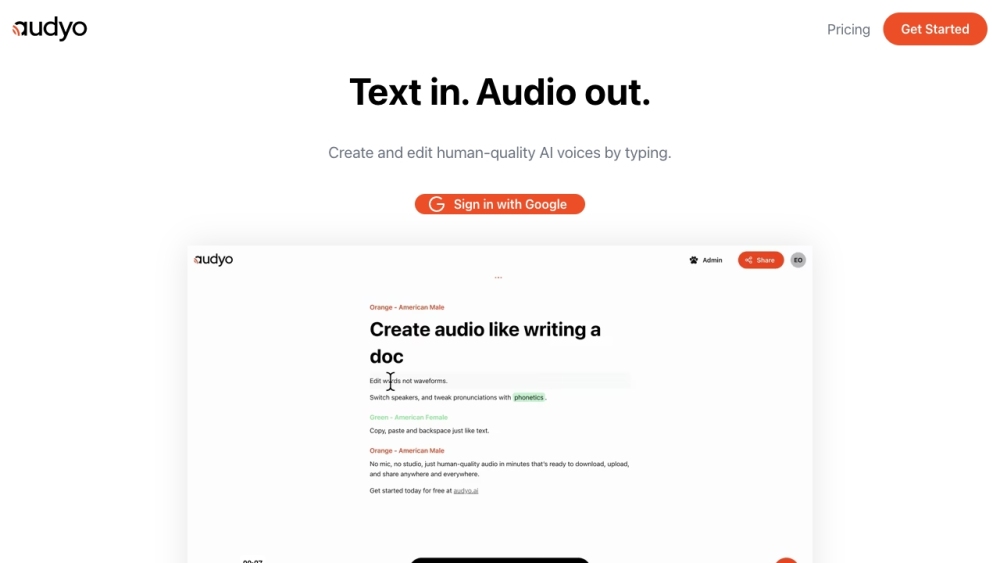
Audyo Website screenshot

What is Audyo?

Audyo is a breakthrough AI-powered audio studio that transforms voice creation and editing into a text-first experience. Instead of wrestling with timelines, waveforms, or pitch curves, you write, revise, and refine speech—just like drafting an email. With Audyo, every word is editable, every speaker swappable, and every syllable adjustable via intuitive phonetic controls. It's not just voice generation—it’s *text-like audio authoring*.

How to use Audyo?

Getting started with Audyo takes seconds: sign in with your Google account, type your script, and hit play. Instantly, your words become natural-sounding, expressive AI speech. Need a different tone? Swap voices mid-sentence. Mispronounced a technical term? Edit its phonetic spelling directly in context. No rendering delays, no export steps—just real-time, document-style iteration until the audio sounds exactly right.

🟢

Audyo - Key Features

Key Features From Audyo

Edit audio by editing text—not waveforms

Seamlessly switch speakers within a single transcript

Fine-tune pronunciation using editable phonetic notation

Generate studio-grade, emotionally resonant AI voices

Zero learning curve—designed for writers, not engineers

Audyo's Use Cases

Turning blog posts, reports, and scripts into polished audio instantly

Building dynamic voiceovers for explainer videos, e-learning modules, and podcasts

Supporting language learners with customizable, repeatable pronunciation models

Powering inclusive content—converting written materials into accessible, high-fidelity spoken formats

🟢

Audyo - Frequently Asked Questions

FAQ from Audyo

What is Audyo?

Audyo reimagines audio production as a writing process—enabling creators to compose, edit, and perfect speech with the same ease they use for text. It replaces traditional audio editing with intelligent, linguistic control over voice, timing, and articulation.

How to use Audyo?

Start typing in your browser—no downloads or plugins required. Choose a voice, adjust emphasis or pacing with simple syntax (e.g., [emphasis=b]), and switch speakers inline. Every edit updates the audio instantly, preserving flow and intonation.

Can I edit the text after converting it into audio?

Yes—Audyo’s core innovation is *live-editable audio*. Change a word, add a pause, or rewrite a sentence, and the spoken output regenerates on-the-fly—keeping prosody, breath, and speaker identity intact.

Is it possible to have multiple speakers in a single audio file?

Definitely. Audyo supports multi-voice scripting: assign different speakers to paragraphs, lines, or even individual phrases—ideal for dialogues, interviews, or character-driven narration—all managed in one editable transcript.

Can I adjust the pronunciation of certain words?

Absolutely. Click any word to open its phonetic editor and input IPA or simplified phonemes. This ensures precise articulation for names, jargon, dialects, or accented terms—without needing audio engineering expertise.

Does Audyo support multiple languages?

Yes. Audyo natively supports over 20 languages—including English, Spanish, French, German, Japanese, Korean, and Arabic—with language-aware phonetics, intonation patterns, and speaker diversity built in.