Assistant with Bard - Chrome Extension

Assistant with Bard - Chrome Extension: AI Tool for Seamless Browsing

Assistant with Bard - Chrome Extension: AI-powered Sidebar in Chrome—an indispensable ai tool for seamless browsing and productivity.

🟢

Assistant with Bard - Chrome Extension - Introduction

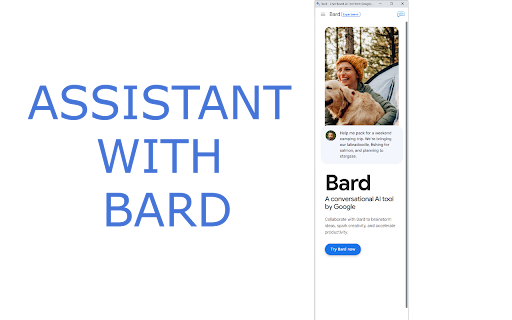
Assistant with Bard - Chrome Extension Website screenshot

What is Assistant with Bard ai chrome extension?

Assistant with Bard is a lightweight, intelligent sidebar AI assistant built natively for Chrome—designed to enhance your browsing experience with real-time, context-aware support for writing, research, translation, and problem-solving—right alongside your active tab.

How to use Assistant with Bard ai chrome extension?

Launch instantly via the toolbar icon or the universal shortcut Ctrl+B (Cmd+B on Mac). Type prompts directly into the sidebar to generate drafts, refine emails, translate web content, summarize articles, or brainstorm ideas—no switching tabs or leaving your workflow.

🟢

Assistant with Bard - Chrome Extension - Key Features

Key Features From Assistant with Bard ai chrome extension

Context-Aware Assistance

Multilingual Fluency & Real-Time Translation

Smart Prompt Integration & One-Click Refinement

Assistant with Bard ai chrome extension's Use Cases

Drafting professional emails, social posts, blog outlines, and technical documentation

Explaining complex concepts, debugging code snippets, or comparing product features

🟢

Assistant with Bard - Chrome Extension - Frequently Asked Questions

FAQ from Assistant with Bard - Chrome Extension

What is Assistant with Bard?

A purpose-built Chrome extension that delivers Bard's AI capabilities as an always-available, resizable sidebar—blending seamlessly into your daily browsing without disruption or distraction.

How to use Assistant with Bard?

Click the extension icon in your toolbar—or press Ctrl+B—to open the sidebar. Enter any request: “Rewrite this paragraph more formally,” “Translate this French sentence,” or “Explain quantum computing like I’m 15.”

How to access Assistant with Bard?

It’s ready the moment you install it. Just click the icon or use the keyboard shortcut—no login, no setup, and no page reloads required.