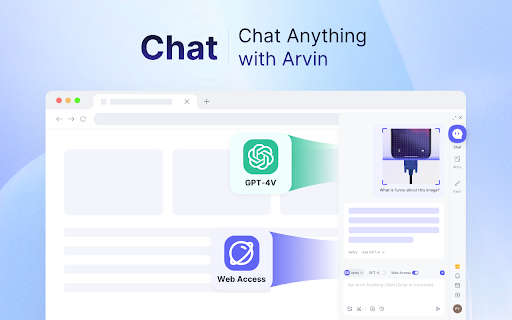
Arvin - Chrome Extension

Arvin - Chrome Extension: AI Tool for Seamless ChatGPT

Arvin - Chrome Extension: A revolutionary AI tool with sleek UI for seamless ChatGPT usage—enhance productivity instantly.

🟢

Arvin - Chrome Extension - Introduction

Arvin - Chrome Extension Website screenshot

What is Arvin - Chrome Extension?

Arvin is a next-generation AI-powered Chrome extension designed to embed ChatGPT's intelligence directly into your everyday browsing experience. Seamlessly integrated across platforms like Google Search, Gmail, LinkedIn, GitHub, Notion, and more, Arvin delivers an intuitive, minimalist interface that brings conversational AI right where you work—no switching tabs or copying text required.

How to use Arvin - Chrome Extension?

Activate Arvin instantly with a single keyboard shortcut: press ⌥ / Alt + A on any webpage. A sleek, context-aware chat panel appears—ready to assist with questions, drafts, or research. For quick actions, type / to reveal powerful slash commands—like /summarize, /email, or /explain—all optimized for speed and precision.

🟢

Arvin - Chrome Extension - Key Features

Key Features From Arvin - Chrome Extension

Native ChatGPT Integration — No Copy-Paste Needed

Smart Email Assistant for Polished, Context-Aware Replies

One-Click Content Summarization from Any Webpage

Dynamic Slash Commands for Instant Task Automation

Arvin - Chrome Extension's Real-World Use Cases

Crafting concise, professional email responses in seconds

Extracting key insights from long articles, docs, or documentation pages

Engaging in real-time, contextual conversations with AI—right inside your browser

🟢

Arvin - Chrome Extension - Frequently Asked Questions

FAQ from Arvin - Chrome Extension

What is Arvin?

Arvin is a purpose-built Chrome extension that reimagines how users interact with ChatGPT—transforming it from a standalone chatbot into an intelligent, always-available co-pilot across the web.

How to use Arvin?

Just press ⌥ / Alt + A on any site to launch Arvin’s clean chat interface. Start typing—or begin with / to access specialized commands tailored to your current context.

What makes Arvin different?

Unlike generic AI tools, Arvin is engineered for *seamless workflow integration*: zero setup, no login friction, and UI designed exclusively for speed, clarity, and contextual relevance—all while maintaining full privacy and compliance with OpenAI’s usage policies.