Array Assistant - AI Excel Bot

Array Assistant - AI Excel Bot: AI Tool for Excel Optimization

Array Assistant - AI Excel Bot: An AI tool that streamlines Excel spreadsheets, optimizes formulas, and delivers smart data insights—Product Name.

🟢

Array Assistant - AI Excel Bot - Introduction

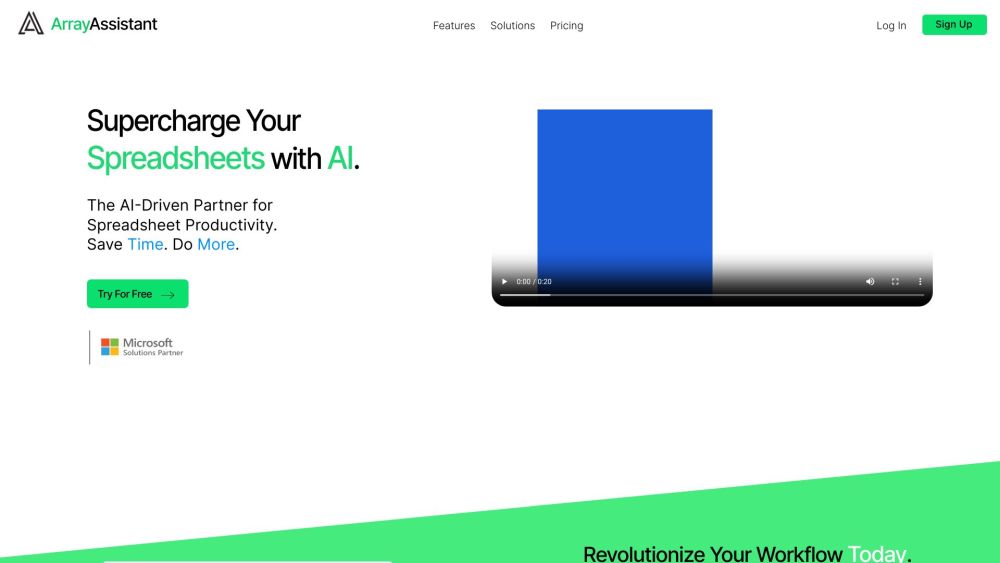
Array Assistant - AI Excel Bot Website screenshot

What is Array Assistant - AI Excel Bot?

Array Assistant – AI Excel Bot is a next-generation intelligent assistant built exclusively for spreadsheet professionals. Designed to transform how users interact with Excel and Google Sheets, it goes beyond basic formula help—acting as a real-time co-pilot that interprets intent, refines logic, and elevates data workflows. By harnessing large language models fine-tuned on Excel syntax, business logic, and statistical best practices, Array Assistant turns ambiguous requests into precise, efficient, and scalable spreadsheet solutions.

How to use Array Assistant - AI Excel Bot?

Getting started with Array Assistant takes seconds: install the lightweight add-in for Excel (Windows/macOS) or the browser extension for Google Sheets. Once activated, open any workbook and summon the bot via keyboard shortcut or voice command. Describe what you want in plain English—e.g., *“Find outliers in column D and flag them in red”*, *“Convert this nested IF into a SWITCH function”*, or *“Forecast Q3 sales using exponential smoothing”*. Array Assistant responds instantly with editable formulas, step-by-step explanations, and one-click insertion—no coding or syntax memorization required.

🟢

Array Assistant - AI Excel Bot - Key Features

Key Features From Array Assistant - AI Excel Bot

Intelligent Formula Generation & Optimization

Context-Aware Data Insights & Anomaly Detection

Smart Formatting, Cleaning & Transformation Tools

Native Integration Across Excel Desktop, Web & Google Sheets

Voice-Enabled & Typing-Friendly Natural Language Interface

Array Assistant - AI Excel Bot's Use Cases

Formula Modernization: Replace legacy array formulas with dynamic arrays or LAMBDA functions—validated for accuracy and performance.

Insight-Driven Analysis: Automatically detect trends, correlations, and distribution patterns—and generate clear, actionable summaries in plain language.

Data Readiness Automation: Clean messy inputs, standardize formats, split/join columns, and handle missing values—all guided by your business rules.

Workflow Acceleration: Automate recurring reports, dashboard updates, and reconciliation tasks—triggered by schedule, cell change, or manual command.

Team-Centric Collaboration: Share annotated workbooks with AI-generated documentation, version-aware suggestions, and role-based editing guidance.

🟢

Array Assistant - AI Excel Bot - Frequently Asked Questions

FAQ from Array Assistant - AI Excel Bot

What is Array Assistant - AI Excel Bot?

Array Assistant is an enterprise-grade AI assistant purpose-built for Excel and Google Sheets users—from analysts and finance teams to operations managers and educators. It understands spreadsheet semantics, anticipates edge cases, and delivers production-ready solutions—not just suggestions.

How to use Array Assistant - AI Excel Bot?

No setup complexity. Install the add-in → open a workbook → type or speak your goal. Array Assistant parses context (cell selections, active sheet, data types), generates accurate outputs, and lets you preview, edit, or apply with confidence.

What platforms does Array Assistant support?

Fully compatible with Microsoft Excel (desktop, web, and Microsoft 365 apps) and Google Sheets (web and Chrome extension). Cross-platform sync ensures consistent behavior and settings.

Can I use Array Assistant to automate repetitive Excel tasks?

Absolutely. Beyond single-cell fixes, Array Assistant supports multi-step automation—like refreshing pivot tables, exporting formatted reports to PDF/Email, or validating data against custom validation rules—via simple natural language triggers.

Does Array Assistant provide data analysis insights?

Yes. It doesn't just calculate—it interprets. From descriptive stats and correlation heatmaps to regression diagnostics and outlier narratives, Array Assistant surfaces insights directly inside your spreadsheet environment—with zero external tools needed.

How does Array Assistant assist with complex formulas?

It deconstructs complexity: explaining logic flow, identifying inefficiencies (e.g., volatile functions, unnecessary nesting), benchmarking performance, and offering optimized alternatives—including LET, LAMBDA, and dynamic array equivalents—with side-by-side comparisons.

Is Array Assistant compatible with both Microsoft Excel and Google Sheets?

Yes—natively. Whether you're collaborating in Excel Online or building dashboards in Sheets, Array Assistant adapts its syntax, capabilities, and UX to match each platform’s native behavior and limitations.