AnyEraser - Chrome Extension

AnyEraser: AI Tool for Image Background Removal

AnyEraser - Chrome Extension: AnyEraser, an AI tool for efficient automatic image background removal. Fast, precise, and seamless editing with this powerful AI tool.

🟢

AnyEraser - Chrome Extension - Introduction

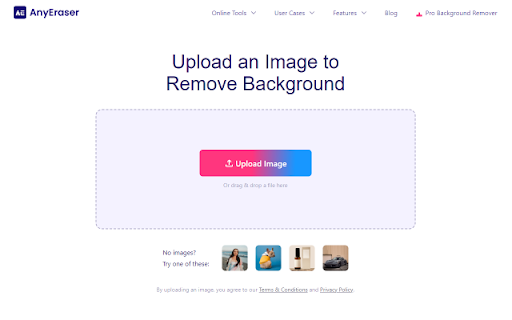
AnyEraser - Chrome Extension Website screenshot

What is AnyEraser ai chrome extension?

AnyEraser is a smart AI-powered Chrome extension designed to instantly eliminate unwanted backgrounds from images. With advanced machine learning algorithms, it delivers clean, professional results in seconds—perfect for creators, marketers, and online sellers who need polished visuals on the go.

How to use AnyEraser ai chrome extension?

1. Add the AnyEraser extension to your Chrome browser from the Web Store. 2. Launch the tool and drag or upload your image. 3. Let the AI automatically detect and erase the background with precision. 4. Customize the output by adjusting transparency or applying a new backdrop, then download your edited image in high quality.

🟢

AnyEraser - Chrome Extension - Key Features

Key Features From AnyEraser ai chrome extension

One-click background erasure

Powered by intelligent AI detection

Customizable background options

AnyEraser ai chrome extension's Use Cases

Effortlessly remove image backgrounds for e-commerce, social media, or design projects

🟢

AnyEraser - Chrome Extension - Frequently Asked Questions

FAQ from AnyEraser - Chrome Extension

What is AnyEraser?

AnyEraser is a lightweight Chrome extension that uses artificial intelligence to automatically remove image backgrounds with high accuracy and speed, making photo editing simple and accessible for everyone.

How to use AnyEraser?

Simply install the extension, open it within your browser, upload an image, and let the AI do the rest. In moments, you'll have a cleanly erased background ready for customization or export.

Where can I get more information about AnyEraser?

For detailed features, tutorials, and support, visit the official website at https://anyeraser.com.