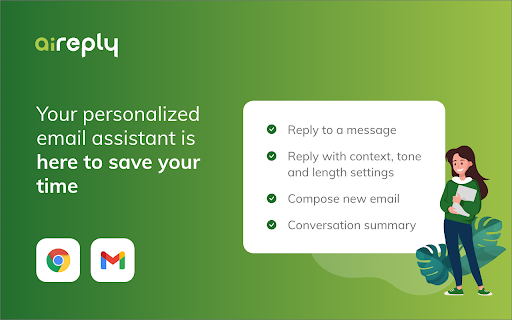
aireply - Chrome Extension

aireply - Chrome Extension: AI tool for smart email replies

aireply - Chrome Extension: An AI tool for efficient email writing—boost productivity with smart, context-aware replies directly in Gmail.

🟢

aireply - Chrome Extension - Introduction

aireply - Chrome Extension Website screenshot

What is aireply ai chrome extension?

Aireply is a lightweight, intelligent Chrome extension designed to transform how you write and respond to emails in Gmail—leveraging advanced AI to craft clear, context-sensitive replies that reflect your voice, tone, and intent—without ever leaving your inbox.

How to use aireply ai chrome extension?

Install the extension, open Gmail, and click the Aireply icon next to any email thread. Describe what you'd like to say—or paste a draft—and instantly receive multiple reply options. Edit, refine, or send with one click.

🟢

aireply - Chrome Extension - Key Features

Key Features From aireply ai chrome extension

Context-Aware Reply Generation

One-Click Integration with Gmail

Tone & Formality Control

Privacy-First, On-Device Preprocessing

aireply ai chrome extension's Use Cases

Responding swiftly to client inquiries without sacrificing professionalism

Drafting follow-ups for job applications or networking outreach

Simplifying parent-teacher communication with empathetic, concise messages

Scaling email responses for solopreneurs and remote teams

Reducing cognitive load for HR professionals managing high-volume recruitment threads

Helping non-native English speakers compose confident, grammatically precise replies

🟢

aireply - Chrome Extension - Frequently Asked Questions

FAQ from aireply - Chrome Extension

What is aireply?

Aireply is a purpose-built AI assistant embedded directly into Gmail via Chrome—engineered to understand conversation history, infer intent, and generate human-aligned email replies that save time while preserving authenticity.

How to use aireply?

After installation, it activates automatically in Gmail. Just highlight text, click the Aireply button, select a tone (e.g., friendly, formal, brief), and choose from AI-suggested drafts—all editable before sending.

What makes Aireply unique?

Unlike generic AI writers, Aireply learns from your writing patterns over time, respects Gmail’s native UI, and prioritizes real-world email etiquette—making smart replies feel intentional, not automated.