Aiera\'s ASR Browser Extension - Chrome Extension

Aieras ASR Browser Extension: AI Tool for Real-Time Tab Audio Transcription

Aiera's ASR Browser Extension - Chrome Extension: An AI tool that transcribes open tab audio in real time—powerful, precise, seamless.

🟢

Aiera\'s ASR Browser Extension - Chrome Extension - Introduction

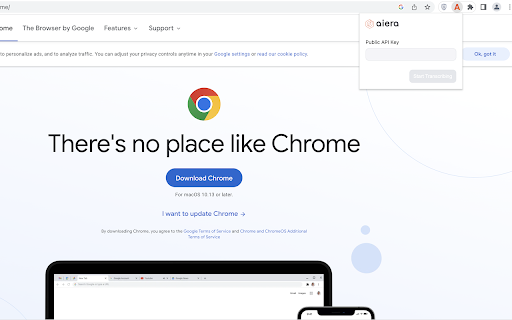
Aiera's ASR Browser Extension - Chrome Extension Website screenshot

What is Aiera's ASR Browser Extension ai chrome extension?

Aiera's ASR Browser Extension is a lightweight, intelligent Chrome (and Firefox) add-on that captures and converts live audio from any active browser tab—be it a webinar, podcast, video lecture, or virtual meeting—into accurate, editable text in real time, powered by Aiera’s proprietary automatic speech recognition engine.

How to use Aiera's ASR Browser Extension ai chrome extension?

Simply add the extension from the Chrome Web Store, click the Aiera icon to activate it on any tab playing audio, and watch as spoken content transforms into clean, timestamped transcripts—no setup, no delays, no manual input required.

🟢

Aiera\'s ASR Browser Extension - Chrome Extension - Key Features

Key Features From Aiera's ASR Browser Extension ai chrome extension

Real-time, low-latency transcription

Seamless integration with Aiera’s enterprise-grade ASR model—trained for clarity, accent resilience, and domain-aware language understanding

Aiera's ASR Browser Extension ai chrome extension's Use Cases

Students capturing key insights during online courses without missing a beat

Researchers and journalists quickly converting web-based interviews or press conferences into searchable notes

🟢

Aiera\'s ASR Browser Extension - Chrome Extension - Frequently Asked Questions

FAQ from Aiera's ASR Browser Extension - Chrome Extension

What is Aiera's ASR Browser Extension?

An AI-powered browser extension that listens to audio from your active browser tab and delivers precise, real-time transcription—designed for accuracy, speed, and privacy-first operation.

How to use Aiera's ASR Browser Extension?

Install → Enable → Play audio in any tab → Transcription begins instantly. One-click export and copy options let you save or share results in seconds.

Can I use the extension on any browser?

Yes—officially supported on Google Chrome and Mozilla Firefox. Edge support is coming soon; Safari requires native system-level audio access and is not currently compatible.