AI Icon Generator

AI Icon Generator: Product Name ai tools

AI Icon Generator: Product Name ai tool creates polished icons for projects and businesses with speed, style, plus ease.

🟢

AI Icon Generator - Introduction

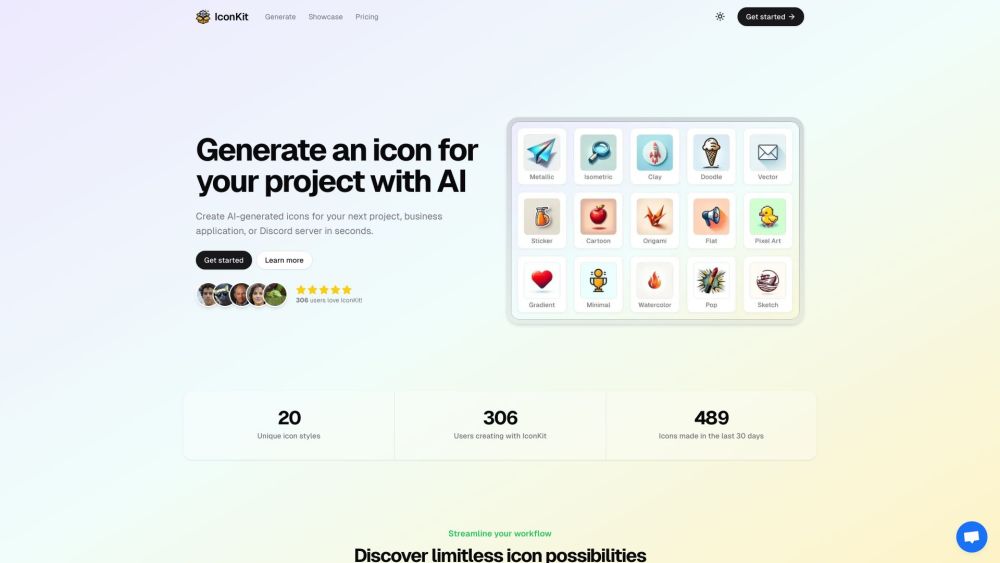
AI Icon Generator Website screenshot

What is AI Icon Generator?

AI Icon Generator is an AI tool that helps you create polished icons for products, projects, businesses, and online communities. It makes it easier to explore different visual directions and produce an icon that matches your preferred colors, style, and purpose.

How to use AI Icon Generator?

Start by describing the type of icon you want to create, then select suitable colors and visual styles. After submitting your preferences, AI Icon Generator produces an icon in seconds. You can continue generating options until you find a design that fits your project, business application, or Discord server.

🟢

AI Icon Generator - Key Features

Key Features From AI Icon Generator

Customize colors and visual styles

Adjust the appearance of your icon by experimenting with different color combinations and design styles. This helps you create results that better match your brand or project identity.

Fast AI-powered icon creation

Generate new icon concepts quickly without spending hours designing each option manually. The tool is suitable for users who need polished visual assets on demand.

Commercial use available

Icons created with AI Icon Generator can be used for commercial purposes without usage limitations, making them suitable for products, companies, and other business projects.

AI Icon Generator's Use Cases

Design icons for personal projects

Create a recognizable icon for an application, website, game, or other creative project.

Develop visuals for business applications

Generate professional-looking icons for business tools, services, product concepts, and company materials.

Create icons for Discord servers

Make a custom server icon that gives your Discord community a distinctive and memorable appearance.

🟢

AI Icon Generator - Frequently Asked Questions

FAQ from AI Icon Generator

What is AI Icon Generator?

AI Icon Generator is an AI-powered tool for creating icons for projects, businesses, applications, and online communities.

How to use AI Icon Generator?

Enter your desired icon concept, choose colors and styles, and submit the request. The tool will generate an icon based on your selected preferences.

How do I generate an icon using IconKit?

To create an icon with IconKit, begin by selecting the colors and style you want. Press the “Generate” button, and IconKit will produce an icon based on your choices. You can create additional versions if you want to compare different results.

How does IconKit's credit system work?

IconKit uses credits for icon generation and transformation features. When you generate an icon or apply a transformation, the required amount of credits is deducted from your account.

Will my IconKit credits ever expire?

No. IconKit credits do not expire, so you can save them and use them whenever you need to generate icons or apply transformations.

What if I don't like the icon I generate?

If the first result does not meet your expectations, you can generate more options. You may also request a refund within one hour of purchasing credits, according to the service terms.

How long does generating icons take?

IconKit can usually create an icon in less than a minute. This gives you a quick way to explore visual ideas without designing every icon from scratch.

What are the dimensions of the icons?

IconKit offers icons in multiple dimensions, allowing you to select a size that works for your project, application, website, or community profile.

Is IconKit suitable for commercial use?

Yes. Icons created with IconKit are available for commercial use without limitations, so they can be used for business applications, products, and other commercial projects.