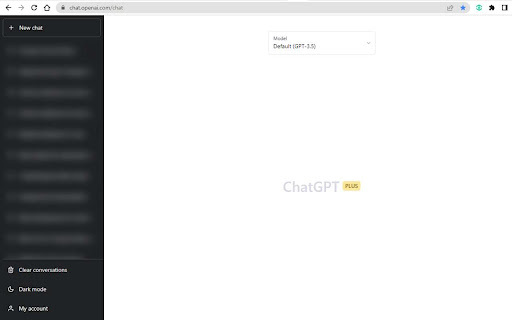
What is AI Chat Privacy Guard ai chrome extension?
A lightweight, intelligent Chrome extension that dynamically obscures ChatGPT's sidebar—giving you instant visual privacy without interrupting your workflow.
How to use AI Chat Privacy Guard ai chrome extension?
Install the extension, click its icon in your browser toolbar, and toggle privacy mode on or off with one click—no ChatGPT settings required.
AI Chat Privacy Guard ai chrome extension's Core Features
One-click sidebar blurring for real-time privacy
AI Chat Privacy Guard ai chrome extension's Use Cases
Safeguarding confidential chats in shared or open-office environments
FAQ from AI Chat Privacy Guard - Chrome Extension
What is AI Chat Privacy Guard?
An AI-powered browser tool designed exclusively for ChatGPT users who prioritize discretion—blurring sensitive context panels at a glance.
How to use AI Chat Privacy Guard?
After installation, simply activate or deactivate the blur via the extension’s popup interface—no login, no configuration, no delay.
How does it work?
Using secure, client-side DOM manipulation, it applies a subtle yet effective Gaussian blur to ChatGPT’s right-hand sidebar—keeping your prompts, history, and suggestions visually protected.