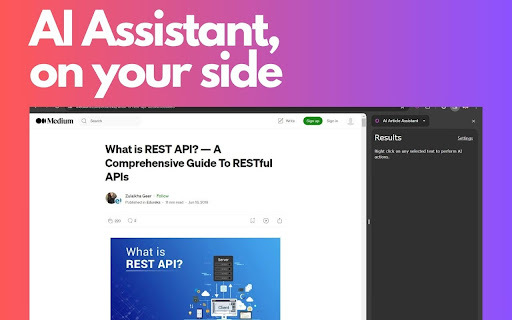
AI Article Assistant - Chrome Extension

AI Article Assistant - Chrome Extension: AI Tool for Instant Text Enhancement

AI Article Assistant - Chrome Extension: A powerful ai tool that enhances text instantly with ChatGPT 3.5 Turbo—right in your browser.

🟢

AI Article Assistant - Chrome Extension - Introduction

AI Article Assistant - Chrome Extension Website screenshot

What is AI Article Assistant – Chrome Extension?

A lightweight, intelligent browser extension that transforms how you interact with online text—powered by ChatGPT-3.5 Turbo and designed for real-time clarity, concision, and depth—directly within your Chrome tab.

How to use AI Article Assistant – Chrome Extension?

Click to install from the Chrome Web Store, then simply highlight any paragraph, article excerpt, or webpage text—and activate the extension via context menu or floating toolbar to refine it instantly.

🟢

AI Article Assistant - Chrome Extension - Key Features

Key Features From AI Article Assistant – Chrome Extension

One-click summarization

Smart bullet-point conversion

Context-aware expansion & rewriting

AI Article Assistant – Chrome Extension's Real-World Applications

Accelerated academic and technical research

Streamlined content consumption across news, blogs, and documentation

🟢

AI Article Assistant - Chrome Extension - Frequently Asked Questions

FAQ from AI Article Assistant – Chrome Extension

What is AI Article Assistant?

An AI-powered Chrome extension built to elevate readability, comprehension, and efficiency—turning dense or fragmented web text into clear, actionable insights in seconds.

How to use AI Article Assistant?

After installation, right-click highlighted text (or use the toolbar icon) to trigger AI-enhanced rewriting, summarizing, or structuring—no copy-pasting or switching tabs required.

How to install the extension?

Go to the Chrome Web Store, search for “AI Article Assistant”, click “Add to Chrome”, and confirm. It’s free, secure, and ready in under 10 seconds.